Comparing DisplayPort 1.4 vs HDMI 2.1 starts with the video format your equipment must deliver. HDMI 2.1 offers greater maximum bandwidth, while DisplayPort supports flexible multi-monitor configurations. For long-distance AV installations, cable length and signal integrity also matter. This guide explains the technical differences and how to select an Elike active optical cable for your system.
Bandwidth and what it means for 4K and 8K
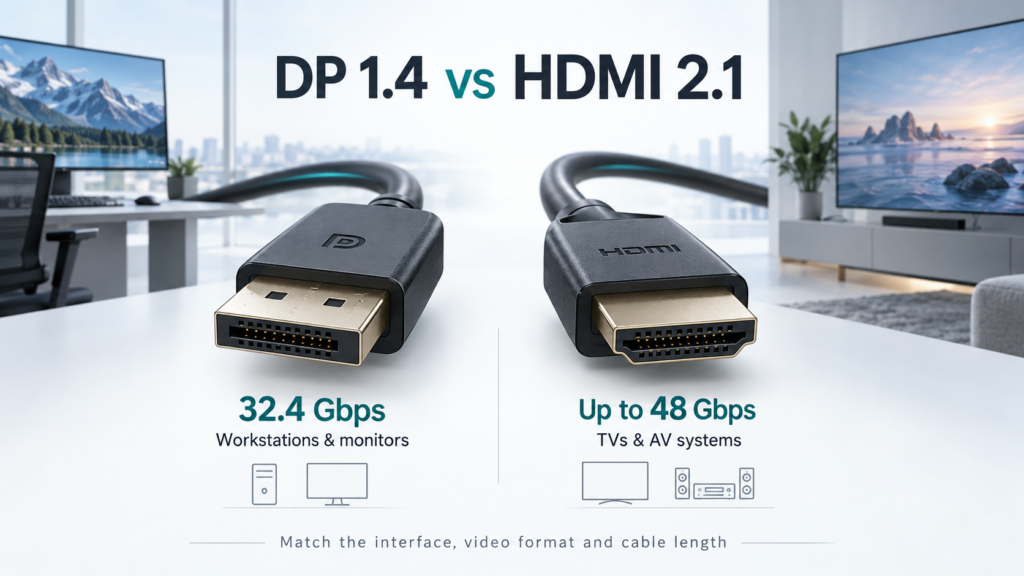
DP 1.4 supports HBR3 at 8.1Gbps per lane across four lanes: 32.4Gbps total, with 25.92Gbps available after line encoding. HDMI 2.1 supports up to 48Gbps using Fixed Rate Link. These are interface ceilings; check the actual link rate implemented by each device. VESA HBR3 technical overview

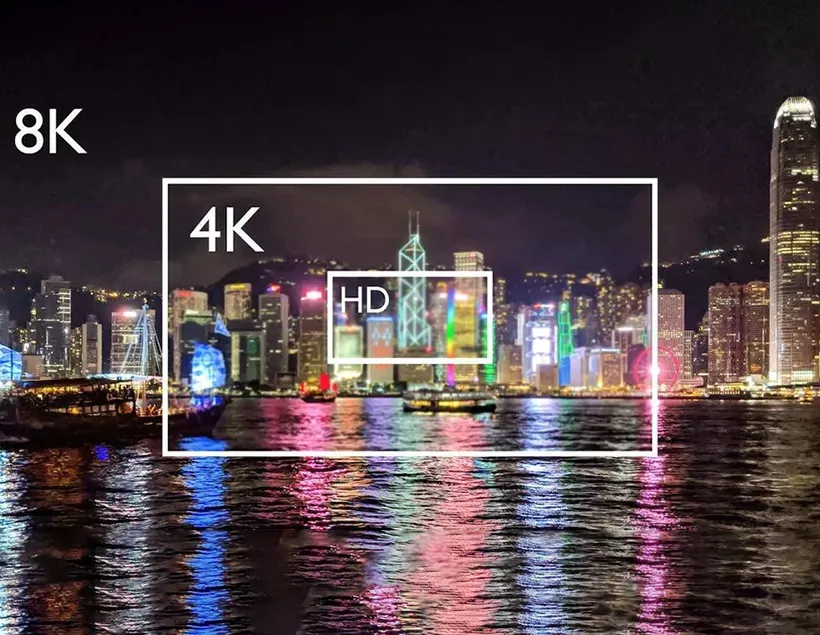
Resolution alone is an incomplete specification. Uncompressed 3840 × 2160 video at 120Hz and 10-bit RGB requires approximately 29.86Gbps for active pixels alone: width × height × refresh rate × 30 bits. Transport overhead adds further demand. This already exceeds DP 1.4’s 25.92Gbps payload, so that format needs compression or a reduced setting.
HDMI 2.1 offers more headroom, but “8K60” does not guarantee uncompressed RGB at every color depth. Record resolution, refresh rate, color depth, chroma sampling and compression together when specifying a system. HDMI 2.1 specification announcement
DSC and image quality
Display Stream Compression reduces the bandwidth needed for demanding display modes. DP 1.4 introduced DSC 1.2 transport; VESA describes the compression as visually lossless. This means it is designed to preserve perceived image quality, rather than reproduce every original data value mathematically. The source must encode DSC and the receiving equipment must decode it; a cable cannot add that capability. VESA DisplayPort 1.4 overview
For CAD drawings, spreadsheets and control interfaces, preserving RGB or YCbCr 4:4:4 deserves attention. Chroma subsampling reduces color detail and can soften fine colored text. Extron also highlights full-chroma transmission for retaining computer-image detail. Extron fiber video engineering overview
At equivalent output settings and with error-free transmission, choosing HDMI instead of DisplayPort does not inherently sharpen the picture. Compare the format delivered to the screen, including any compression, before judging image quality.
Match the interface to the signal chain
A workstation with native DisplayPort outputs and DP monitors is a practical starting point for DP 1.4. MST can distribute multiple independent streams through a compatible hub or daisy chain, but they share the link’s bandwidth. GPU, operating-system and monitor support must also align. MST is a system capability, not a promise that every DP cable supports every multi-display arrangement.
HDMI is a natural fit when televisions, projectors and AV receivers form the signal chain. Features such as eARC, VRR and ALLM can matter more than maximum resolution. Confirm each required feature on the actual equipment and cable; a version number alone is insufficient.
Where possible, keep the connection native. Introducing an adapter or KVM adds another component whose bandwidth, HDCP handling and supported video modes need checking.

Why active optical cables matter over distance
As copper cable length increases, high-frequency attenuation makes reliable reception more difficult. There is no universal copper distance limit: cable construction, data rate and receiver performance all affect the result.
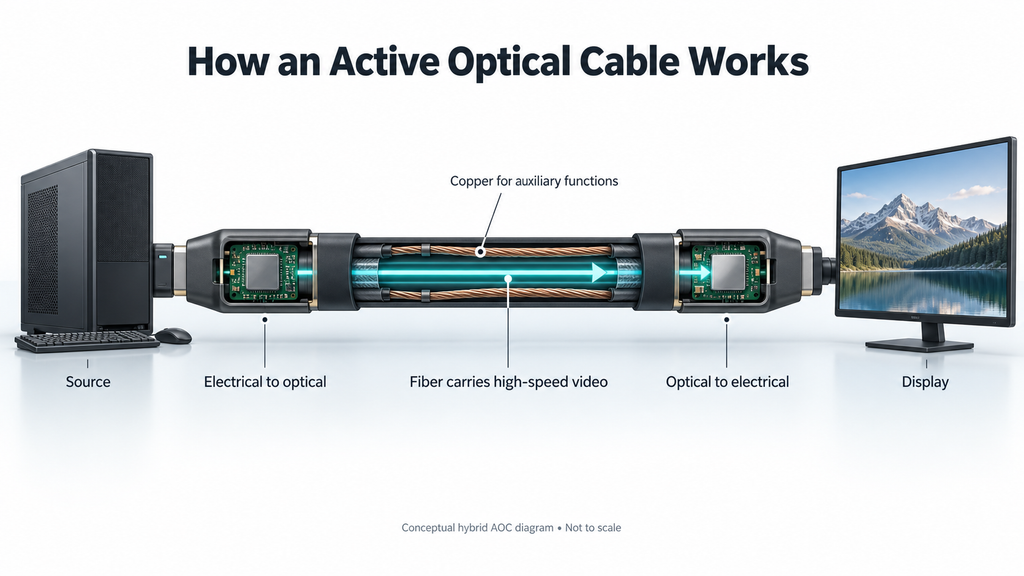
An active optical cable converts high-speed electrical signals into light and back at the receiving end. Fiber provides a practical route for carrying high-bandwidth video over longer runs with reduced susceptibility to electromagnetic interference along the optical path. Kramer on fiber in AV installations
Hybrid AOCs can retain copper conductors and powered electronics, so optical transmission does not automatically provide complete electrical isolation. Fiber also does not increase the interface’s bandwidth or upgrade a source’s resolution. Its value is maintaining the specified connection over the required route.
Choosing an Elike optical cable
DP workstations and remote displays
The Elike DP 1.4 Active Optical Cable (SDFC-1400) lists HBR3 support, 8K60 capability, lengths up to 100m and a 4.8mm outer diameter. Its hybrid fiber-and-copper construction suits projects requiring a native DP connection between a workstation and a remote display. Specify the intended 8K format and confirm any DSC requirements with the source and monitor.
High-bandwidth HDMI installations
The Elike Armored HDMI 8K Active Optical Cable (SAHC-9860) lists 48Gbps, 8K60 and 4K120 support, with lengths from 10m to 100m. Its reinforced metal armor provides mechanical protection for demanding cable routes. Compared with an 18Gbps 4K cable, the additional bandwidth addresses higher refresh rates and more demanding video formats. Confirm the required format and features at the selected length.
Compact 4K cable routes
For 4K60 installations, the Elike Super Slim Armored HDMI 4K Active Optical Cable (SSAC-8730) offers 18Gbps, a 3.8mm outer diameter, stainless-steel armor and lengths up to 30m. Its compact construction is useful where routing space is limited. This makes cable diameter and protection meaningful selection factors alongside bandwidth; an 8K model is unnecessary when the confirmed requirement fits this 4K model.
Validate the installation before closing the cable route
Write the required display mode into the project specification, then test it through the complete chain at the installed cable length. Include HDR, HDCP-protected content and any required VRR or audio-return functions. Check cold starts, sleep recovery and source switching as well as steady playback: a stable desktop image alone does not verify every operating state.
Follow the cable’s Source and Display markings, power requirements, bend radius and pulling limits. Check connector clearance before routing. Armor improves physical protection, but it does not establish waterproofing, unlimited bend tolerance or suitability for continuous movement.
Consider a 50m connection from a workstation to a control-room display. If both endpoints use DisplayPort, evaluate the SDFC-1400 at the required HBR3 video mode. If the receiving equipment instead requires HDMI at 4K120, evaluate the SAHC-9860 and the source’s HDMI output capabilities. The SSAC-8730’s listed 30m reach would exclude it from this route, even if 4K60 were sufficient. This illustrates why distance and bandwidth must be checked independently. A higher resolution label cannot compensate for an unsuitable cable length, and a longer cable cannot compensate for missing endpoint features.
Frequently asked questions
Is HDMI 2.1 better than DP 1.4?
It has higher maximum bandwidth. DP 1.4 remains useful for compatible workstation and multi-monitor systems. Select by the complete signal chain.
Can a fiber cable improve image quality?
It can help prevent transmission failures over a demanding route. It cannot add detail to the source image or increase a display’s native resolution.
Which Elike cable should I specify?
The practical choice in DisplayPort 1.4 vs HDMI 2.1 depends on your source, display and installation requirements. Consider Elike’s SDFC-1400 for native DisplayPort connections, SAHC-9860 for demanding 8K60 or 4K120 HDMI applications, and SSAC-8730 for compact 4K60 installations. Confirm the complete video format and cable length before selecting a model.