
As more devices fully transition into the USB-C era, the demand for flexible connectivity and interface expansion continues to grow. Whether for office environments, home entertainment systems, industrial device debugging, or mobile device expansion, USB C female to female adapters are becoming essential connectivity accessories.
Compared with ordinary adapters, a high-performance USB C female to female adapter not only extends connectivity but also fully preserves all USB-C protocol functions, including high-speed data transmission, video output, and Power Delivery (PD) fast charging capabilities.
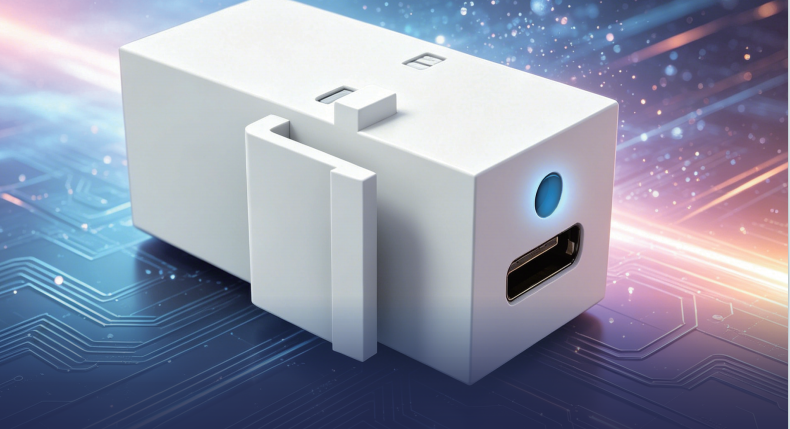
Why Choose a USB C Female to Female Adapter?
The compact structure of Elike-designed USB c adapters enables through-wall or desktop cable routing and a streamlined expansion-port design for easier installation in tight spaces and convenient portability.
The product adopts a full 24-pin pass-through design, preserving:
- CC signals
- SBU signals
- VBUS power lines
- USB high-speed data channels
- Video signal channels
This complete pin configuration ensures that data transmission, charging, and video functions maintain full performance without signal loss during extension.
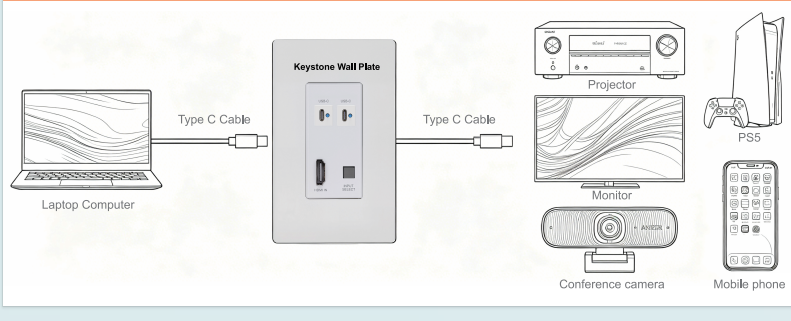
Key Features
USB4 High-Speed Transmission
Supports USB4 protocol with transfer speeds up to 40Gbps and is backward compatible with:
- USB 3.2 Gen2
- USB 3.2 Gen1
- USB 2.0
High-speed transmission supports:
- Large file transfers
- 4K/8K video transmission
- External SSD connectivity
- Professional device debugging
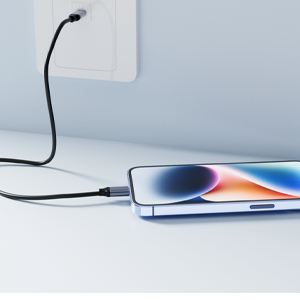
Supports PD Fast Charging
The USB C female to female adapter supports up to 5A current transmission and is compatible with USB Power Delivery fast charging protocols.
Compatible devices include:
- Smartphones with fast charging
- Tablets
- Laptops
- High-power chargers
For example, when connected to a 140W usb c power adapter, it can support high-power charging requirements for high-performance laptops and workstation devices.
Please note that actual output power depends on the capabilities of connected cables and devices.
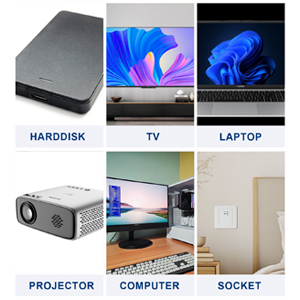
Supports Video Output and Display Expansion
This USB C female to female adapter supports DP Alt Mode (DisplayPort Alternate Mode), allowing:
- External monitor connections
- Video expansion
- Audio transmission
- Multi-screen workstation setups
Users can directly connect via USB-C to:
- Monitors
- Projectors
- Docking stations
- Video capture devices
No additional drivers are required — simply plug and play.
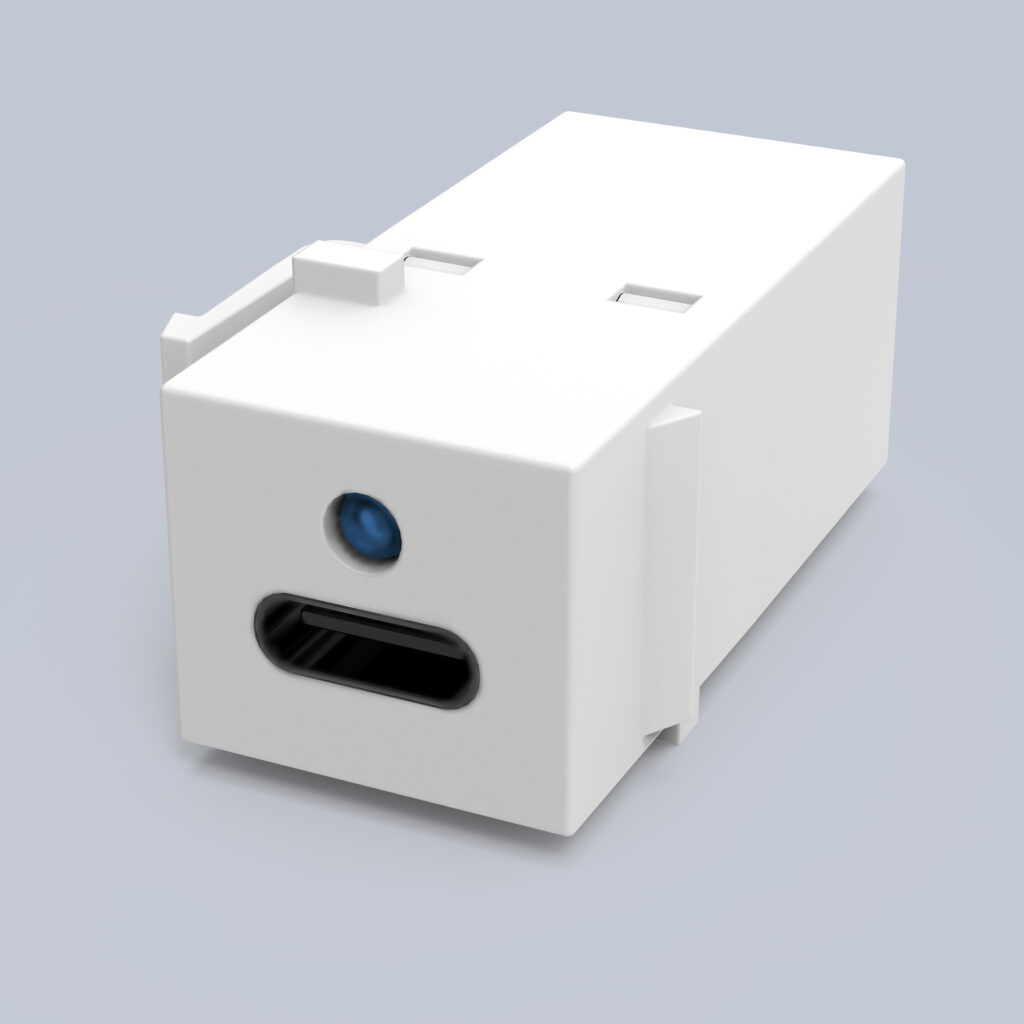
LED Status Indicator Makes Connections More Intuitive
Many ordinary USB c adapters cannot quickly indicate connection status. The integrated LED indicator on this adapter helps users instantly verify connection conditions.
When a device is properly connected, a blue LED indicator lights up, showing that the device is functioning normally.
If the LED does not light up, it indicates an incorrect connection or poor contact. Users can reverse either cable connector until the LED turns on, confirming proper connection establishment.
This visual feedback significantly improves efficiency for:
- Device testing
- Engineering applications
- On-site troubleshooting
- Industrial debugging
The LED indicator reduces troubleshooting time and increases operational efficiency.
Multiple Application Scenarios
The USB C female to female adapter operates within temperatures ranging from -20°C to +80°C and is suitable for a variety of applications.
Device Debugging
Connect two USB Type-C devices (such as laptops and smartphones or development boards and debuggers) for:
- Data communication
- Firmware flashing
- Protocol analysis
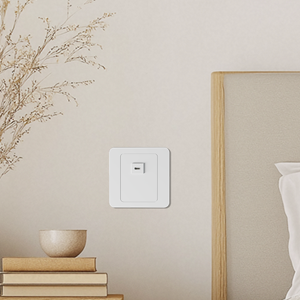
Panel Installation
Supports standard wall plates and Keystone installation:
- Wall installations
- Desktop interface expansion
- Control panels
- Industrial equipment panels
Can be embedded into equipment panels or testing fixtures to protect native ports and increase insertion lifespan.
Office Expansion
Connect:
- Monitors
- Docking stations
- External hard drives
- USB peripherals
Fast Charging Applications
Supports high-power charging solutions including:
- 100W PD chargers
- 140W usb c power adapter
- Laptop power systems
Audio and Video Expansion
When DP Alt Mode is supported, it can serve as a transition node between hosts and displays.
Note:
No protocol conversion functionality is included; signal transmission is direct pass-through only.
Test Fixtures and Aging Racks
For production line testing and aging systems, it serves as a standardized interface module that simplifies connection methods while providing visible connection status indicators.
Compatibility with Other USB-C Adapter Solutions
Modern users frequently utilize multiple connection standards, making compatibility extremely important.
The USB C female to female adapter can work with various USB c adapters to satisfy different connectivity requirements.
Examples include:
- USB-C to HDMI adapters
- USB-C to RJ45 adapters
- USB-C docking stations
- USB-C to USB-A adapters
It can also work with a lightning to USB c adapter, enabling more flexible connectivity between Apple devices and the USB-C ecosystem.
Installation Guide
Orientation
This USB Type-C Keystone module is vertically designed.
Compatibility Notice
The included USB Type-C adapter may not fit ultra-thin decorative wall plates or specific Keystone openings. Please verify panel dimensions before installation.
Note: Once installed, the adapter may be difficult to remove.
Installation Steps
Pre-Test
Before permanent installation, connect the module to cables and verify functionality.
Insert at an Angle
Hook the lower tab into the panel cutout while maintaining a slight angle.
Press Into Position
Rotate upward and press until the top locking clip snaps securely into place.
Cable Routing
In confined spaces, use a USB Type-C adapter to simplify cable connections.
Final Assembly
- Route the USB-C cable through the wall.
- Connect one end to the target input/output device.
- Connect the other end to the back of the USB-C module and snap it into the wall plate.
- Connect your USB device to the front USB-C port.
How to Choose a High-Quality USB C Female to Female Adapter
Consider the following factors:
Full 24-Pin Design
Low-cost products often omit pin connections, causing:
- Video output failure
- PD charging instability
- High-speed transmission issues
Protocol Support
Recommended support includes:
- USB4
- USB 3.2
- PD protocol
- DP Alt Mode
Contact Quality
High-quality products generally feature:
- Gold-plated contacts
- Nickel-plated housing
- Durable connector structures
Durability
High-quality USB-C connectors can exceed 10,000 insertion cycles.
FAQ
Q1: Does charging power depend on cable connection order?
A1: No. The overall charging power depends on the cable connected to the host side.
Example:
Host → 100W cable → Adapter → 60W cable → Device = 100W output
Host → 60W cable → Adapter → 100W cable → Device = 60W output
Q2: Can the adapter change insertion direction logic? What if the LED behaves abnormally?
A2: Type-C connectors naturally support reversible insertion. However, this dual-female adapter does not alter original cable orientation logic. If functionality appears abnormal, reverse one connector until the LED indicates normal operation.
Q3: What precautions should be taken during use?
A3: Avoid hanging heavy objects or applying lateral force to the adapter to prevent socket damage or housing deformation.
Q4: How should the adapter be cleaned?
A4: Clean periodically using alcohol swabs with anhydrous alcohol to remove dust and oxidation. Disconnect all power sources before cleaning.
Q5: Can LED colors or features be customized?
A5: Yes. Customization options include:
- LED colors (Blue / White / Green)
- Logo printing
- Mounting holes
- PCB-integrated chips such as PD trigger chips
Conclusion
As USB-C gradually becomes the universal connectivity standard, high-performance USB C female to female adapters are becoming increasingly important for data transfer, fast charging, and video expansion.
Whether paired with USB c adapters for broader functionality, connected to a lightning to USB c adapter for Apple ecosystem compatibility, or used alongside a 140W usb c power adapter for high-power charging, Elike USB C female to female adapters provide a more stable, efficient, and flexible connectivity solution.