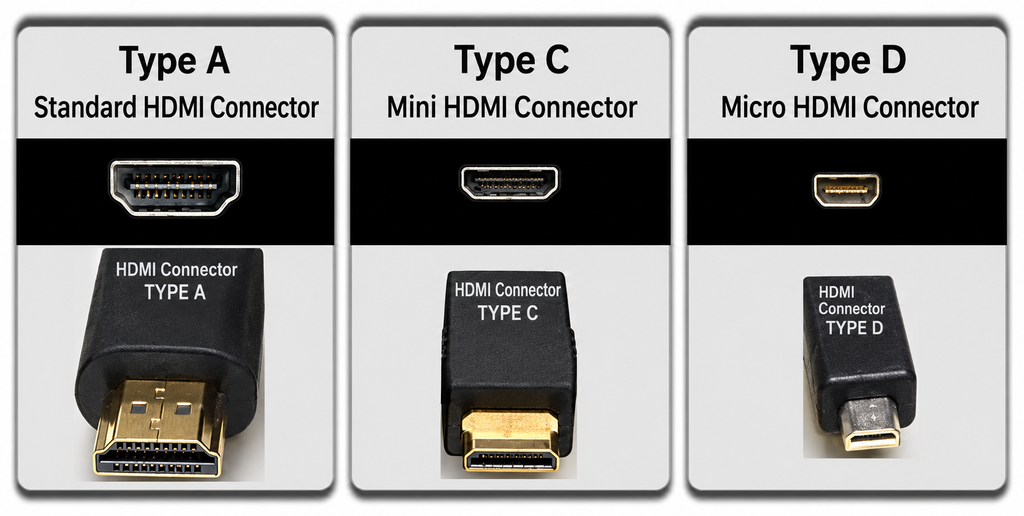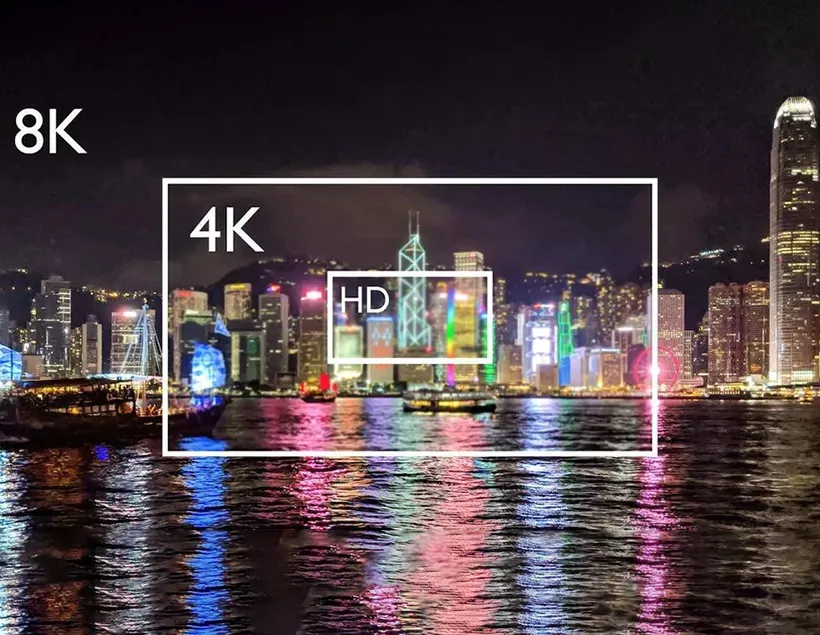
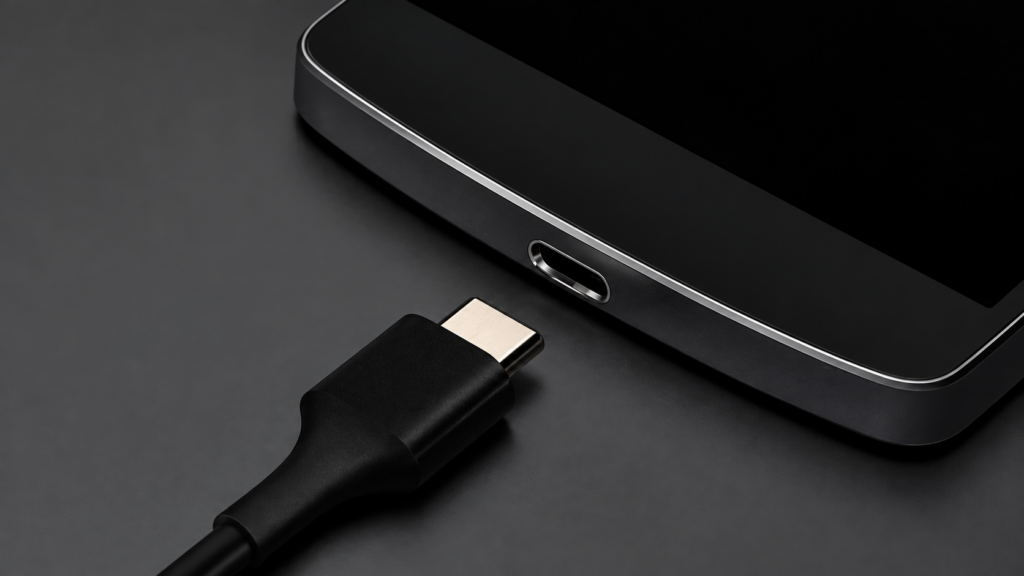
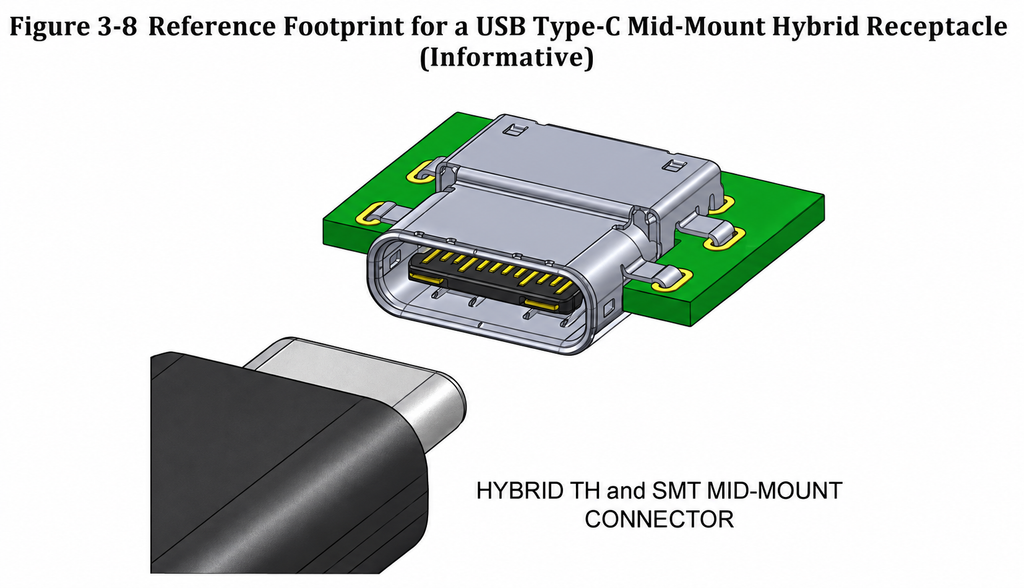
The birth of the new MacBook with the Type-C interface has also made the general public aware of this new type of interface
I have to admit that products that are exposed to Apple’s light can often be quickly known, and Apple is indeed capable of further promoting a standard, and often succeeds; from TYPE C interface to wireless charging, the protagonist of our talk today Of course, it is a TYPE C interface. To be honest, the MacBook’s Type-C interface is really perfect. The extremely thin body cannot carry a large number of ports that are not small, but the compact Type-C can integrate charging and data transmission. and video output in one; lamented that as the industry leader, Apple’s innovation ability and strength are still worthy of recognition.
The full name of Type-C is USB Type-C interface, which is a brand-new USB interface form. It has been born with the latest USB3.1 standard. years); because it solves the most troublesome worldwide problem since the appearance of the USB interface, that is, it “no longer distinguishes the direction, and both the front and back can be inserted”.
Since there is Type-C, there must be Type-A and Type-B. What Type-A and Type-B look like, you can see at a glance the picture below:
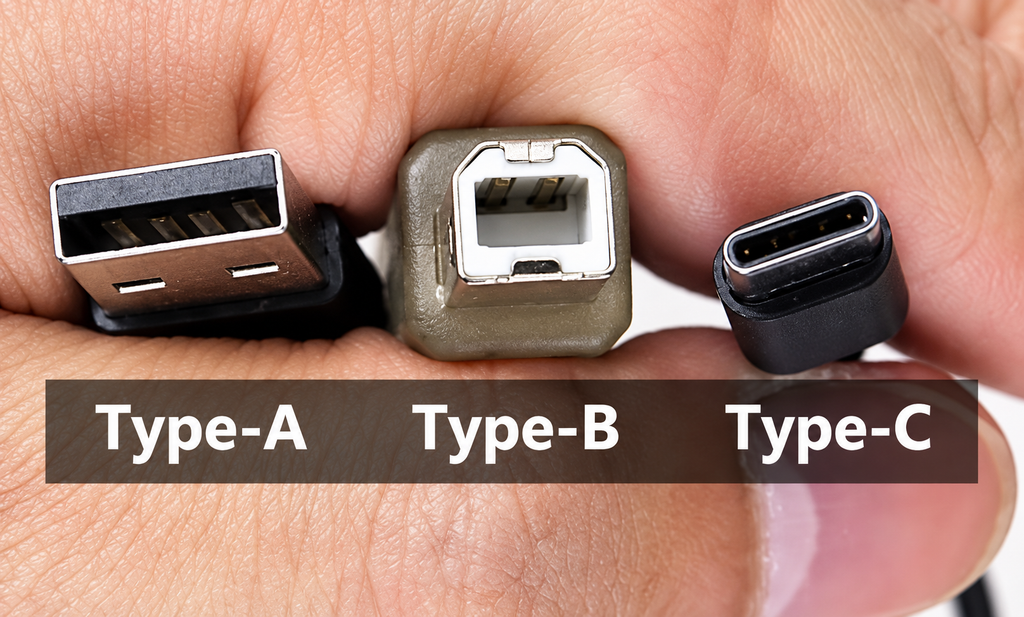
USB interface: from left to right are standard Type-A interface, Type-B interface and Type-C interface
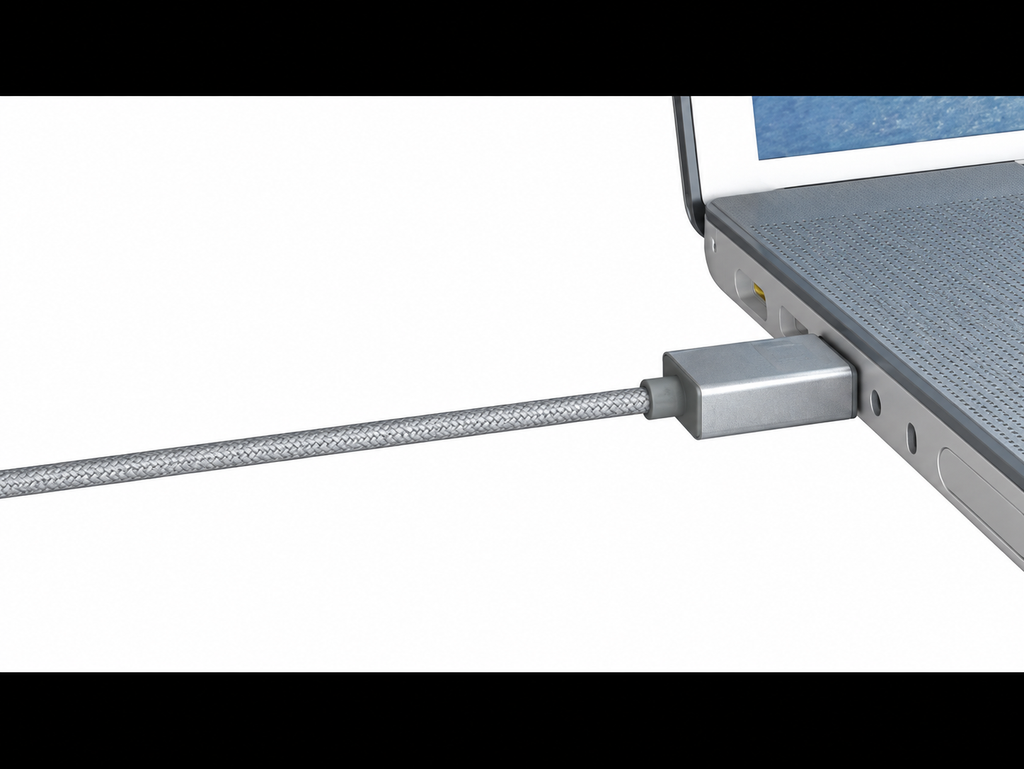
The market already has double-sided TYPE A interface
The Type-A interface is the most commonly used standard USB interface! Indeed, the English name of the Type-A interface is “Standard Type-A USB”, which means that it is a standard USB interface, and other shapes of USB interfaces are its derivatives.
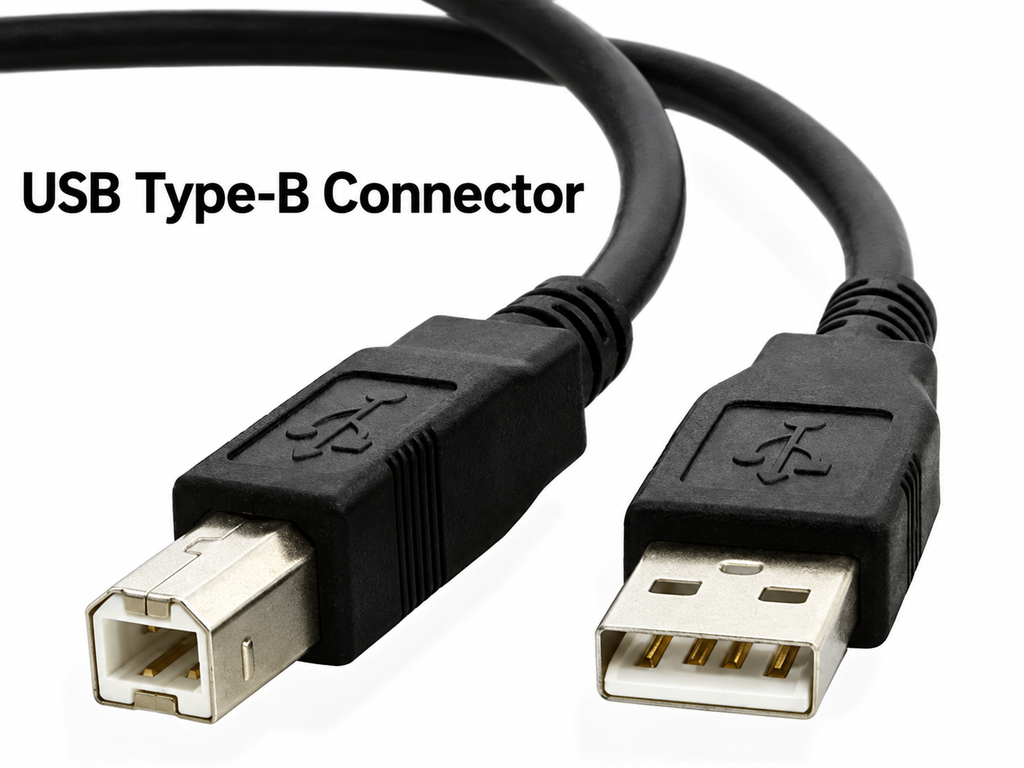
As for the Type-B USB interface, although its appearance rate is far lower than that of the standard Type-A interface, everyone must be familiar with it, because many external USB devices such as printers and monitor USB HUBs use Type-B USB Interface; Generally speaking, the USB interface on the PC is standard Type-A, while external devices mostly use Type-B.In addition, Type-C is an interface type that can be applied to both PC (master device) and external device (slave device), which is epoch-making.
Family portrait with USB interface
When the Type-C interface is released, many friends in the non-cable industry will ask, “Is the Mini-USB called Type-A, Micro-USB called Type-B, and the new one is called Type-C?” The author has already told everyone that this is not the case, so after reading the family portrait of the USB interface below, I believe everyone will understand.
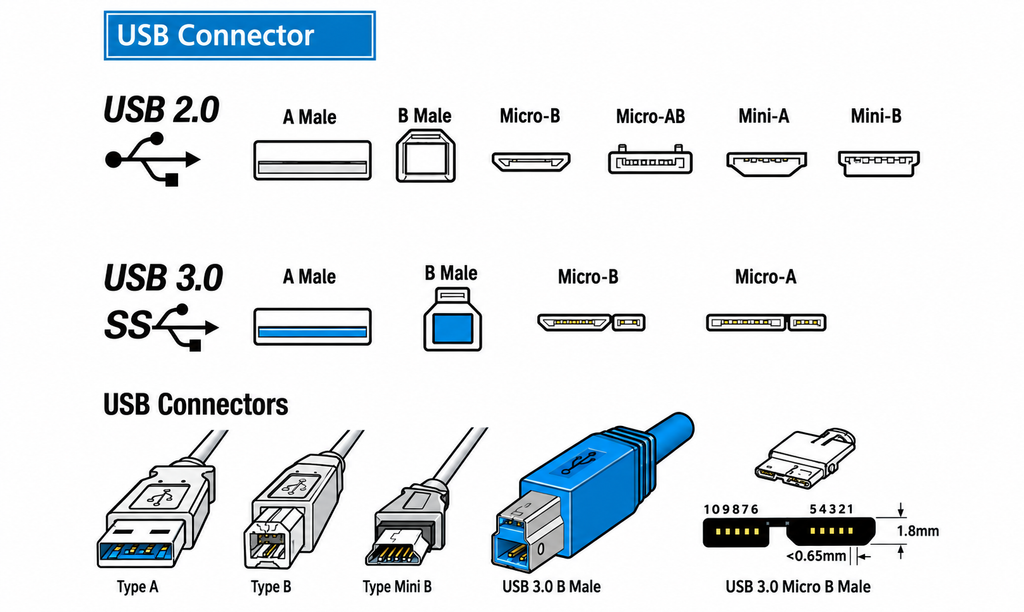
Nothing is as intuitive as a picture; the Mini-USB and Micro-USB we often use are born according to the USB2.0 transmission protocol. The magic is that they are also divided into Type-A and Type-B; In the era of USB3.0, due to the improvement of the transmission speed, the pin position has been improved, so only the Type-A USB3.0 interface remains the same as before, and the Type-B and Micro-USB have changed their appearance (increased in volume).
●Mini-USB2.0 interface
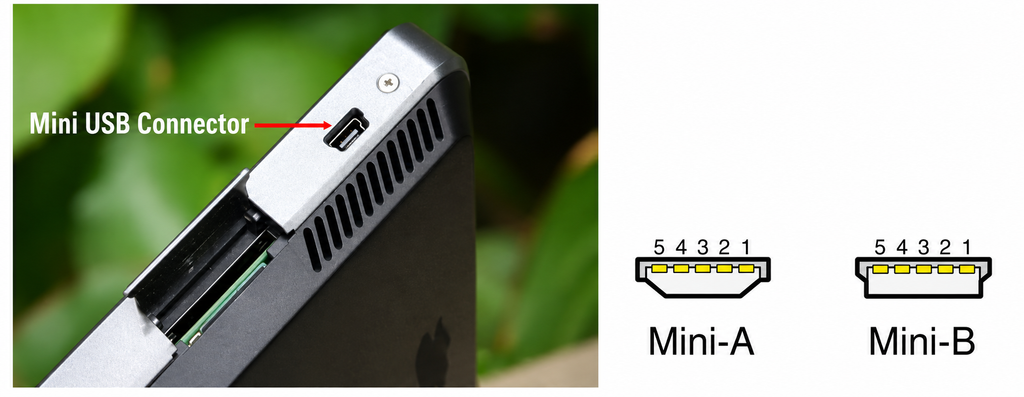
Type A and Type B ports of Mini-USB 2.0
The Mini-USB interface is also an interface that we are very familiar with. It is widely used in digital products, such as MP3, digital cameras, and mobile hard disks. Compared with standard USB interface and Type-B USB interface, its volume is greatly reduced. Maybe most of the Mini-USB interfaces you see are Mini-B type. This is because the Mini-A type is less fool-proof, so there is a Mini-B type that replaces it. But don’t worry, even older devices with Mini-A ports can still use Mini-B cables.
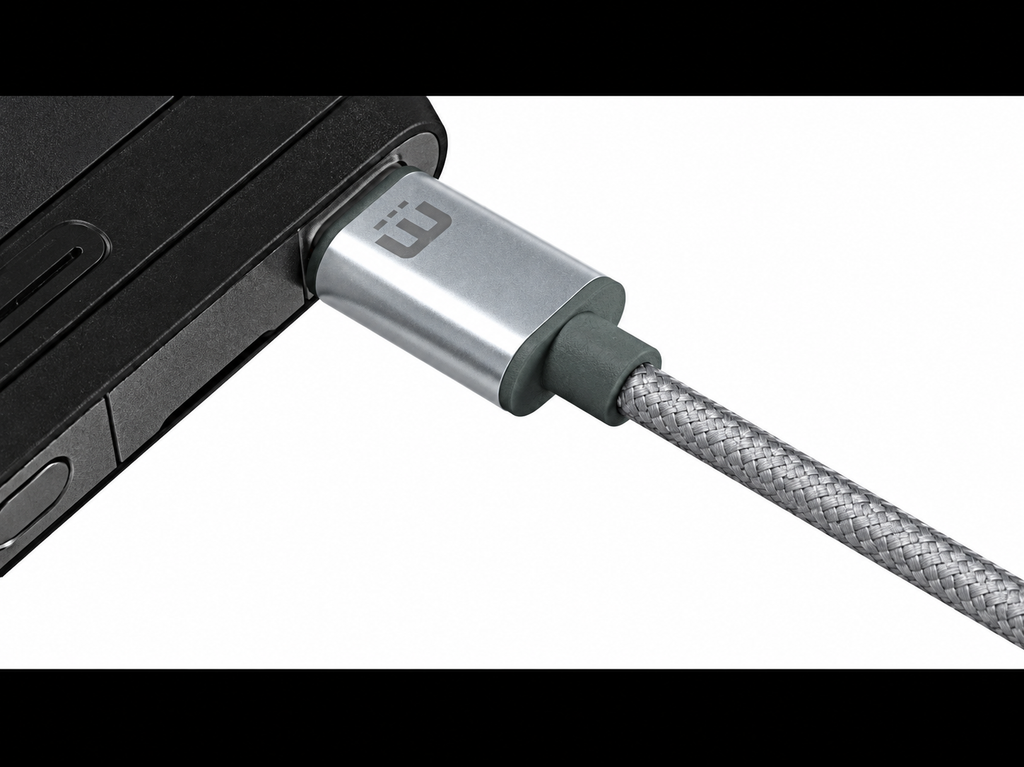
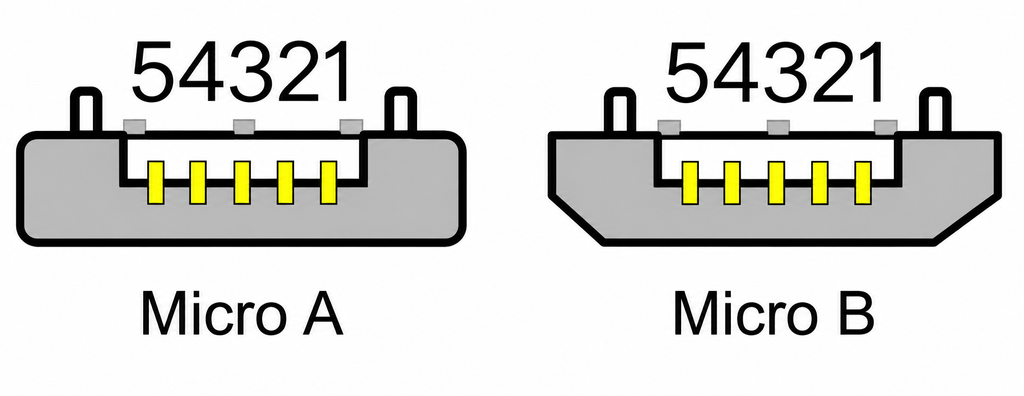
Mini-USB interface is divided into A/B, and Micro-USB is no exception. The Micro-USB interface is an improved version of the Mini-USB interface, which reduces the size again and is more suitable for mobile devices that are becoming thinner and lighter. At present, most of the portable devices we use use Micro-USB interface, and Mini-USB has basically been eliminated. In addition, the European Union also stipulates that by 2017, all mobile phones sold in the member countries must use the Micro-USB interface, which shows its success and wide coverage.
Similarly, the Type-B type of the Micro-USB interface is also an improved version of the Type-A type. From the figure, it is not difficult to see that the shape of the Micro-A interface is rectangular, which greatly increases the mis-mating rate! How can we, who often misplug standard USB ports, be able to play with such an effective Micro-A? Soon Micro-B appeared, with excellent fool-proof design, Micro-A was quickly eliminated
●Micro-USB3.0 interface
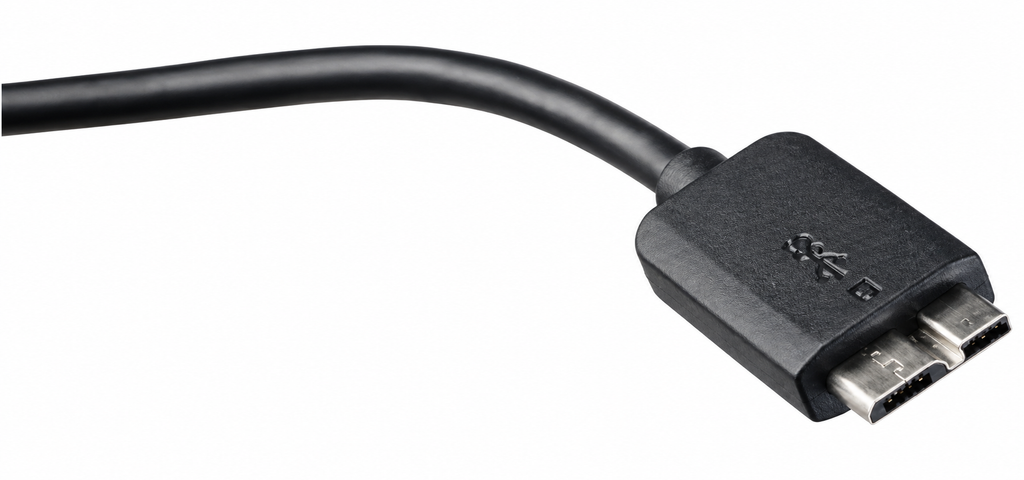
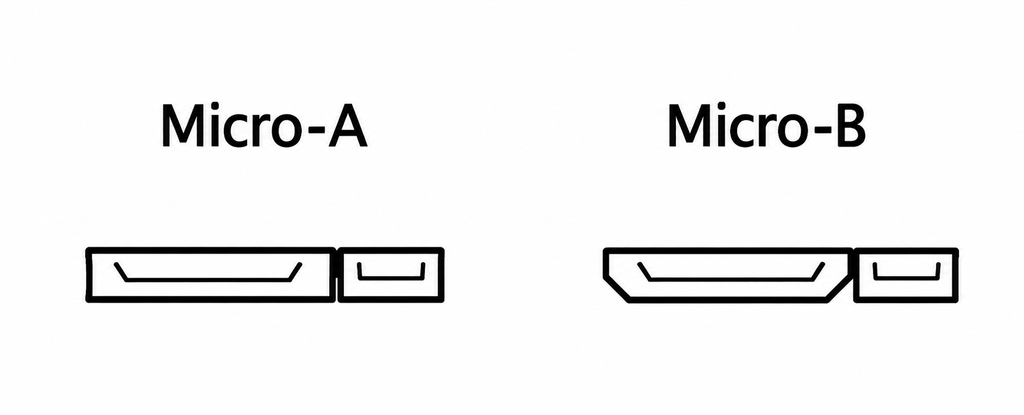
Since the transmission speed of the USB3.0 interface has been greatly improved by 10 times compared with USB2.0, its pins have also changed; in this way, the Micro-USB3.0 interface has to be changed in appearance; -The height of the USB3.0 interface is the same as that of Micro-USB2.0, but the length has increased significantly; similarly, Type A and Type B also appeared on Micro-USB3.0… I really can’t understand why USB The association has to make A and B on the small USB interface every time, so I won’t make more complaints here.
The Micro-USB3.0 interface devices we contact most are high-speed mobile hard drives, most of which are Type-B types.
●USB Type-B 3.0 interface
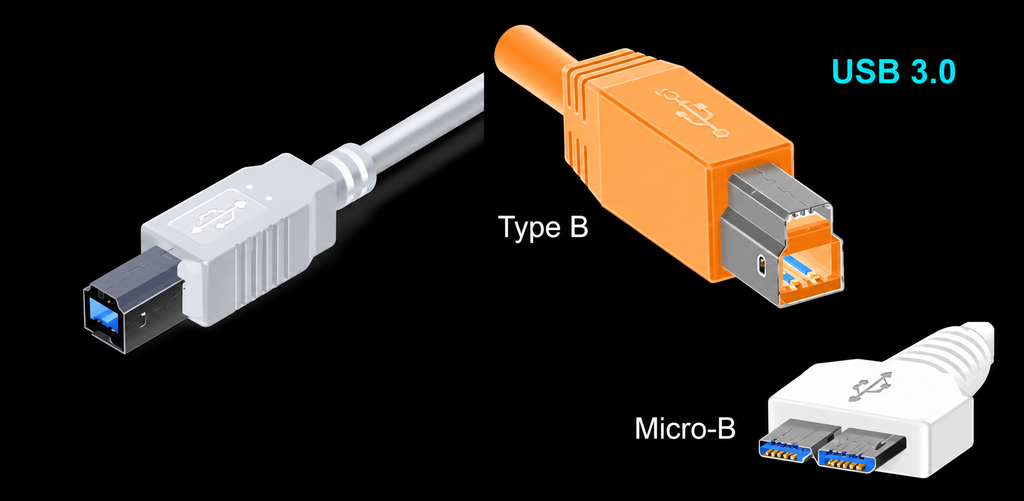
The same Type-B interface, USB3.0 (right) increases the interface height compared to USB2.0 (left)
Due to the large size of the standard Type-A USB interface, its shape has not changed when it is developed to USB3.1 today.
But the Type-B USB interface is a bit embarrassing, because it is not much smaller than the standard Type-A USB interface in terms of volume, but it may be that the future development was not considered at the beginning of the design, resulting in nowhere to place the added pins; Therefore, the Type-B USB3.0 interface has to change its appearance and increase its height compared to Type-B USB2.0.
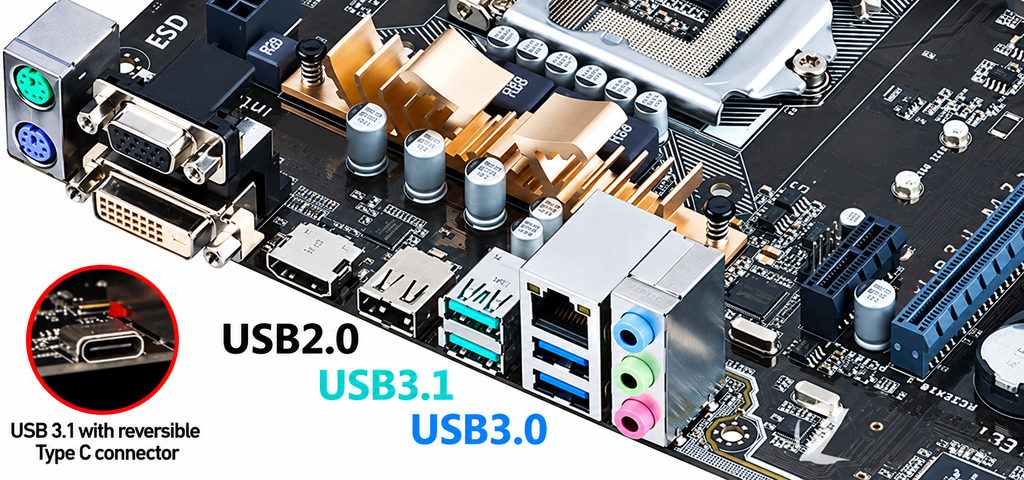
In the industry, the USB3.0 interface is made blue to distinguish it from the black USB2.0 interface. At present, ASUS has launched a motherboard equipped with a standard Type-A USB3.1 interface, and its interface color is blue-green to distinguish it from USB3.0. Although the USB Association has not made regulations on the color of USB3.1, it will be inevitable to distinguish it by color.
The Type-C interface and the USB3.1 standard were launched almost at the same time, and the Type-C specification is indeed formulated in accordance with USB3.1, so USB3.1 can of course be made into Type-C type, but Type-C≠USB3.1: For example, the Nokia N1 tablet uses the Type-C interface of the USB2.0 specification, while the ASUS Z97-K/USB3.1 uses the standard Type-A USB3.1 interface.
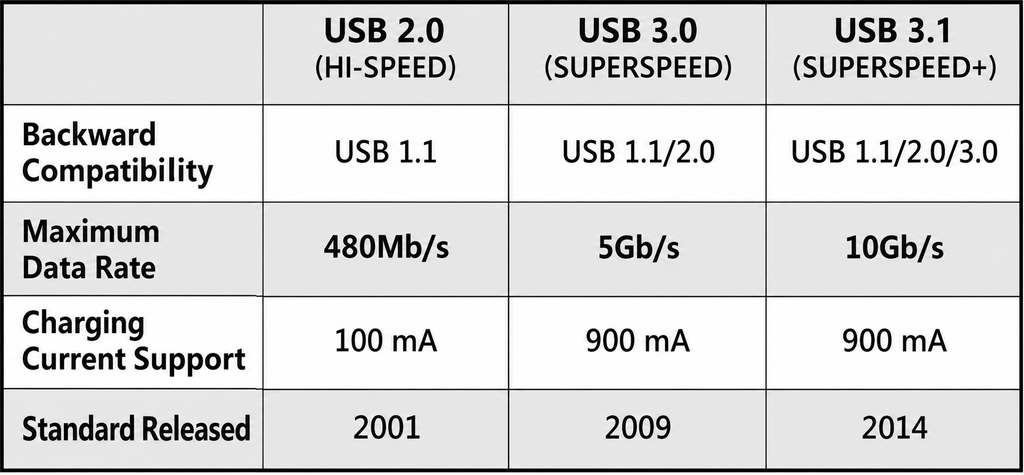
Comparison of previous USB specifications
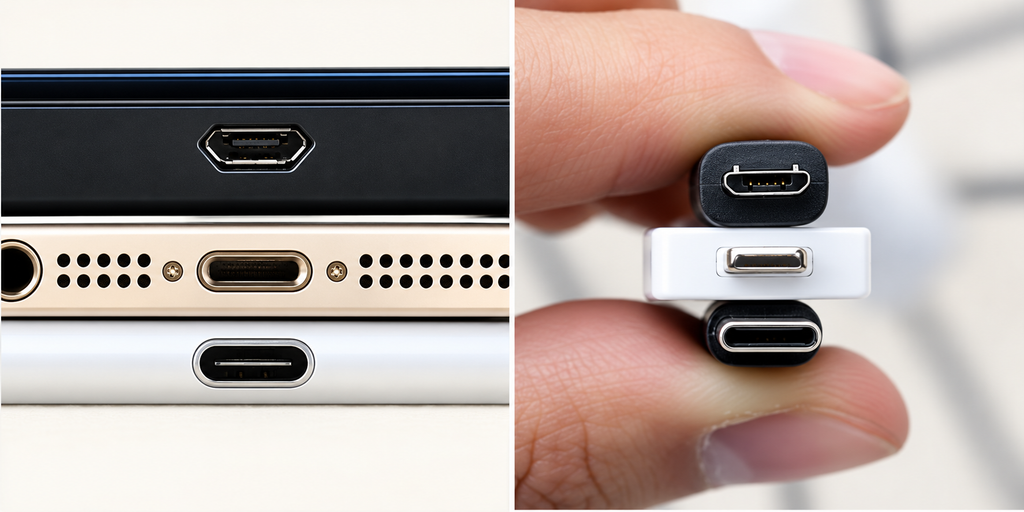
Micro-USB/Lightning/Type-C comparison
Micro-USBBefore 2016, except for Apple’s products, almost all mobile devices on the advanced market adopted the Micro-USB interface; and since the iPhone 5, Apple has also replaced the previous Dock port with a smaller Lightning port. It is similar in size to the Micro-USB interface; and now, the Type-C interface has emerged, and it will be a three-legged confrontation in the future; the final winner is the TYPE C interface.
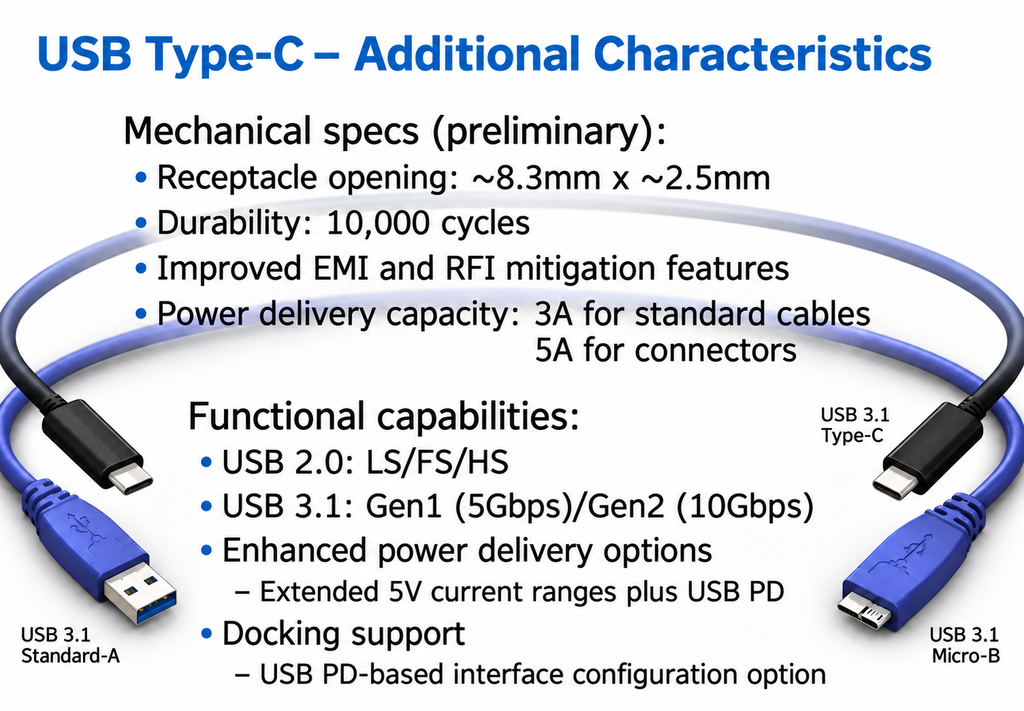
The USB3.1 specification has a transmission rate of 10Gbps, twice that of USB3.0 5Gbps, reaching the same speed as the Thunderbolt interface; while having ultra-high bandwidth, it also supports a powerful power transmission function of up to 100W. In addition, Type- The C interface can also be used as a video output interface; the bandwidth of the current HDMI 1.4 specification is 10.2Gbps, which is almost the same speed as the 10Gbps of USB3.1, and the Type-C interface adopted by the new MacBook has integrated DP, HDMI and D-Sub interface. With the high integration of multiple functions and powerful performance, we have every reason to believe that Type-C will replace many video and data interfaces and become the perfect solution to unify many interfaces in the future.In addition, the cold Apple will always be different from others. Whether it is the previous Dock port or the current Lightning port, it is different from the Micro-USB port of non-Apple devices. But the new MacBook adopts the Type-C interface, which can be said to give everyone hope: Will Apple products uniformly adopt Type-C in the future? After all, the Type-C interface is a universal standard, so we no longer need to be equipped with many data cables in the future.
Type-C is a revolutionary emergence, what do you say? In the previous article, when the author released the family portrait of the USB interface, did everyone feel too messy? That’s right, the shapes of the master device interface, slave device interface, and mobile device interface are all different, and each type of interface is divided into A/B, etc… We can’t help but sigh: Why can’t they be unified? The emergence of Type-C solves this problem. Unlike Type-A, which is only used in master devices, Type-B, which is only used in slave devices, and Mini&Micro-USB, which is only used in mobile devices, it is a kind of It is an interface that can be used in the master device, the slave device, and the mobile device. In fact, the HDMI product as shown in the figure below is not the same!