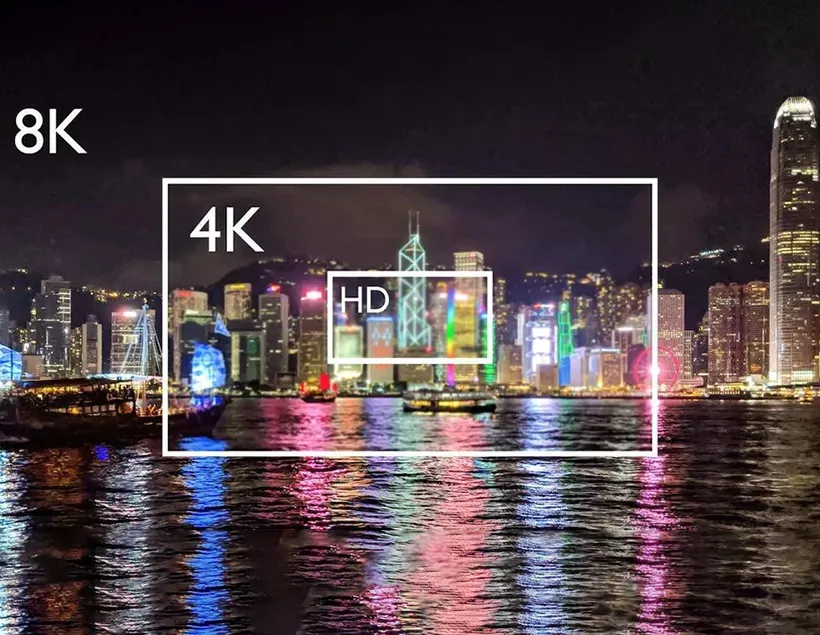
How far an HDMI cable can run depends on the cable and the video format it needs to carry. Elike offers three examples: the SHOM-2100 copper cable is available in lengths from 1 to 7.5 meters, the SHDC-9860 active optical cable is specified for runs up to 30 meters, and the SHDC-9900 detachable active optical cable is specified for runs up to 100 meters.
These figures help narrow down the options, but they are not universal distance limits for all HDMI cables. HDMI does not specify a single maximum cable length. The achievable length depends on factors such as cable type and construction. Project selection also requires checking the video format, connected equipment, and installation route.
For conference rooms, control rooms, and digital signage, start with three questions: How long is the installed route? What video format must the connection support? Can the connectors pass through the installation route?
Choose an HDMI Connection by Distance
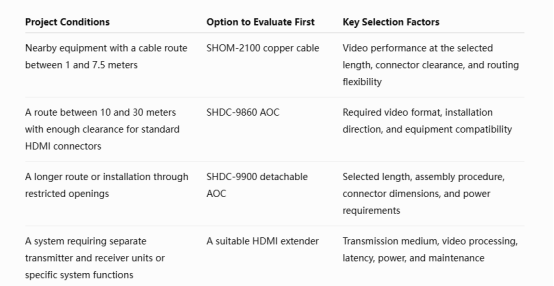
Use this table for initial selection. Confirm the final configuration against the selected model, length, and complete signal chain. One model’s maximum distance should not be applied to another.
Why Different 4K Formats Have Different Cable Requirements
A purchasing specification that says only “supports 4K” can leave out important connection requirements.
4K at 60Hz and 4K at 120Hz place different demands on the link. Color depth, RGB or YCbCr format, HDR, and compression also affect the data that must be carried. Systems displaying text, charts, and control interfaces should specify whether RGB or YCbCr 4:4:4 is required.
Before choosing a cable, record:
- Source, display, and intermediate equipment models.
- Resolution, refresh rate, color depth, and color format.
- HDR, HDCP, and required audio-return or control functions.
- Whether DSC compression is involved and supported by the relevant equipment.
The cable must match the complete system. A solution that extends transmission distance cannot enable a source to output a video format it does not support.
Comparing Three Elike HDMI Cable Options
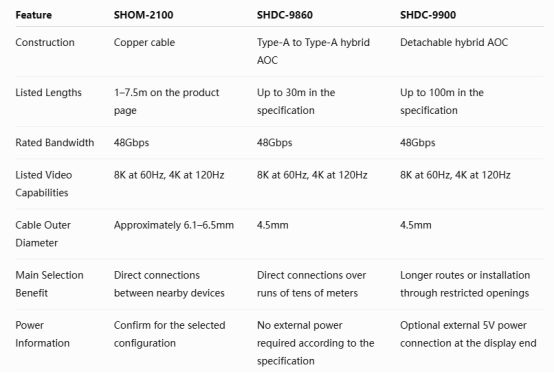
Confirm video capabilities and maximum length for the intended configuration. Submit the required video format together with the cable length rather than selecting solely by the highest figures in the table.
SHOM-2100 for Connections Between Nearby Devices
The SHOM-2100 copper cable is an option for direct connections between nearby HDMI devices, including displays and projectors. Its product page lists lengths from 1 to 7.5 meters, 48Gbps bandwidth, and support for video modes such as 8K at 60Hz and 4K at 120Hz.
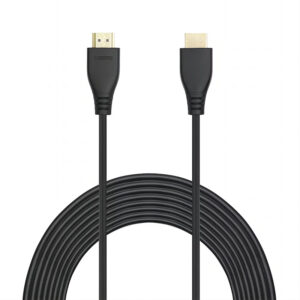
For desktop or in-rack connections, confirm performance at the selected length and check the space behind the equipment. If a copper cable already meets the project requirements, a longer optical cable rating alone is not a reason to change the connection. elikecorp.com
SHDC-9860 for Direct Connections from 10 to 30 Meters
The SHDC-9860 active optical cable combines optical fiber and copper conductors. Its specification lists a maximum length of 30 meters, with 10, 15, 20, and 30-meter options in the ordering information.
It is a candidate for connections between a conference-room equipment rack and a projector, or between a player and a remote display, where standard Type-A connectors can pass through the route. The active conversion components are integrated into the cable connectors, allowing a direct connection between the endpoints.
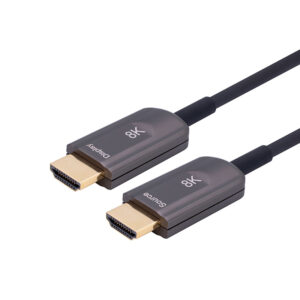
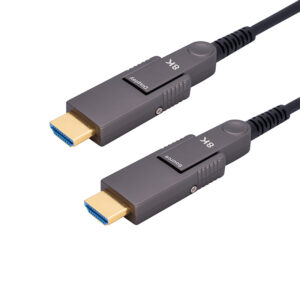
The SHDC-9900 detachable active optical cable is specified for runs up to 100 meters. Its detachable construction provides another option for installations involving narrow openings or conduits.
Check the dimensions of the exposed connector, pulling tool, and adapters as well as the cable length. The product provides an optional power connection at the display end. Confirm whether the specified external 5V supply is needed for the actual equipment configuration.
The detachable design primarily addresses installation clearance. Follow the model’s bending, pulling, and assembly requirements during installation.
When Should You Consider an HDMI Extender?
An HDMI extender is worth evaluating when the project requires separate transmitter and receiver units, specific control interfaces, or a maintenance arrangement that allows the two units to be serviced separately.
Compare it with an AOC against the same project requirements:
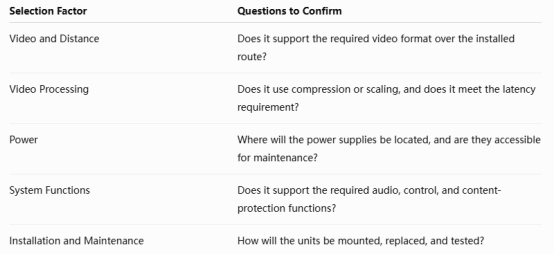
HDMI extenders use different transmission architectures and offer different functions. Distance ratings and connector shapes alone do not establish whether an extender and an AOC are interchangeable.
Selecting a Cable for a 25-Meter Conference-Room Route
Consider a conference room with a 25-meter installed route from the equipment rack to the projector. The target is 4K at 60Hz, and the signal passes through a switcher.
First, confirm that the source, switcher, and projector support the required video format, HDCP, and audio functions.
Next, inspect the installation route. If standard HDMI connectors can pass through, evaluate the SHDC-9860. If connector clearance is restricted, evaluate the SHDC-9900 detachable solution.
Finally, assemble the connection using the actual equipment, switcher, and selected cable length. Test the target video mode, startup, and source switching.
This selection example illustrates the process: distance narrows the product options, installation conditions guide the construction choice, and system testing confirms suitability.
Confirm Connection Performance Through Compatibility Testing
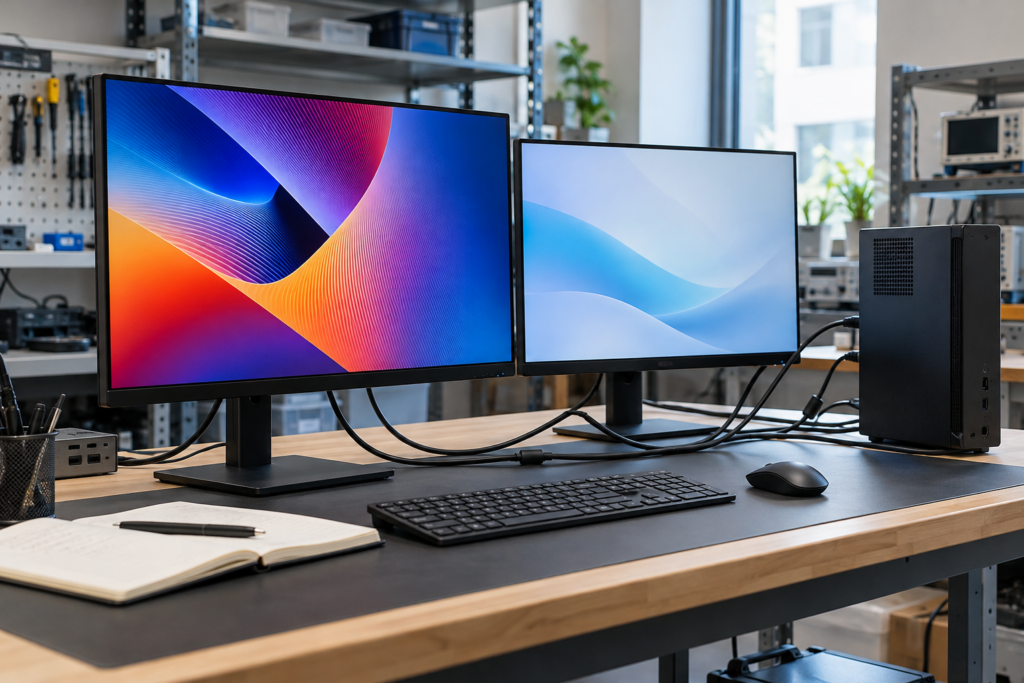
A long-distance HDMI connection must work with the source, display, and intermediate components. Testing a sample with the actual equipment helps the project team confirm the final configuration.
Elike’s compatibility testing covers multiple graphics-card systems, playback devices, and displays, with results recorded for different resolutions, refresh rates, color formats, and HDR settings. For example, the test record shows normal operation with a Gigabyte RTX 4090 system connected to a SONY KD-65X9100 at 4K at 120Hz, RGB, 10bpc, and HDR.
For conference rooms, control rooms, and digital signage projects, use the following validation process:
- Establish a short-cable baseline.Confirm that the source and display can operate normally at the required video format.
- Connect a sample at the selected length.Include the switchers, adapters, and other components planned for the installation.
- Check operating states.Test continuous display, cold startup, source switching, sleep recovery, and required audio functions.
- Repeat the checks after installation.Confirm performance with the final cable route and equipment arrangement.
Record the equipment models, cable configuration, output settings, and results. These details support sample evaluation, installation acceptance, and subsequent technical support.
What Else Matters During Long-Distance Installation?
Measure the complete route, including detours, cable runs inside racks, and service slack. The straight-line distance between devices is usually not the final cable length.
For AOCs, follow the Source and Display markings when connecting the signal source and display. Check the narrowest openings and turning spaces before pulling the cable, and follow the model’s bending, pulling, and assembly instructions.
The SHDC-9900 installation instructions call for a pulling tool and attention to the display-end installation direction. If auxiliary power is needed, connect it at the display end as instructed. Do not pull the entire cable by its connector or substitute adapters from another model.
Frequently Asked Questions
Does Every HDMI Connection Longer Than 10 Meters Require Fiber?
No. Ten meters is not a universal dividing line. Select the cable according to the required video format, cable design, and equipment combination, then validate the selected length.
Does a 100-Meter Rating Mean Every 8K Format Works at 100 Meters?
Resolution, refresh rate, color depth, color format, compression, and equipment capabilities must be considered together. Evaluate distance and video requirements as one configuration.
Does Fiber HDMI Improve Picture Quality?
When the output format is the same and transmission is error-free, fiber does not add detail to the source image. Its main purpose is to provide a suitable transmission solution for longer connections.
Does Long-Distance HDMI Always Need External Power?
Power requirements vary by model. Follow the product instructions and confirm the requirements of the actual equipment configuration.
Choose an HDMI Cable for Your Project
Elike offers copper HDMI cables, active optical cables, and detachable connection solutions. Start with the HDMI selection guide to compare constructions, then submit your equipment and routing requirements to confirm a configuration.